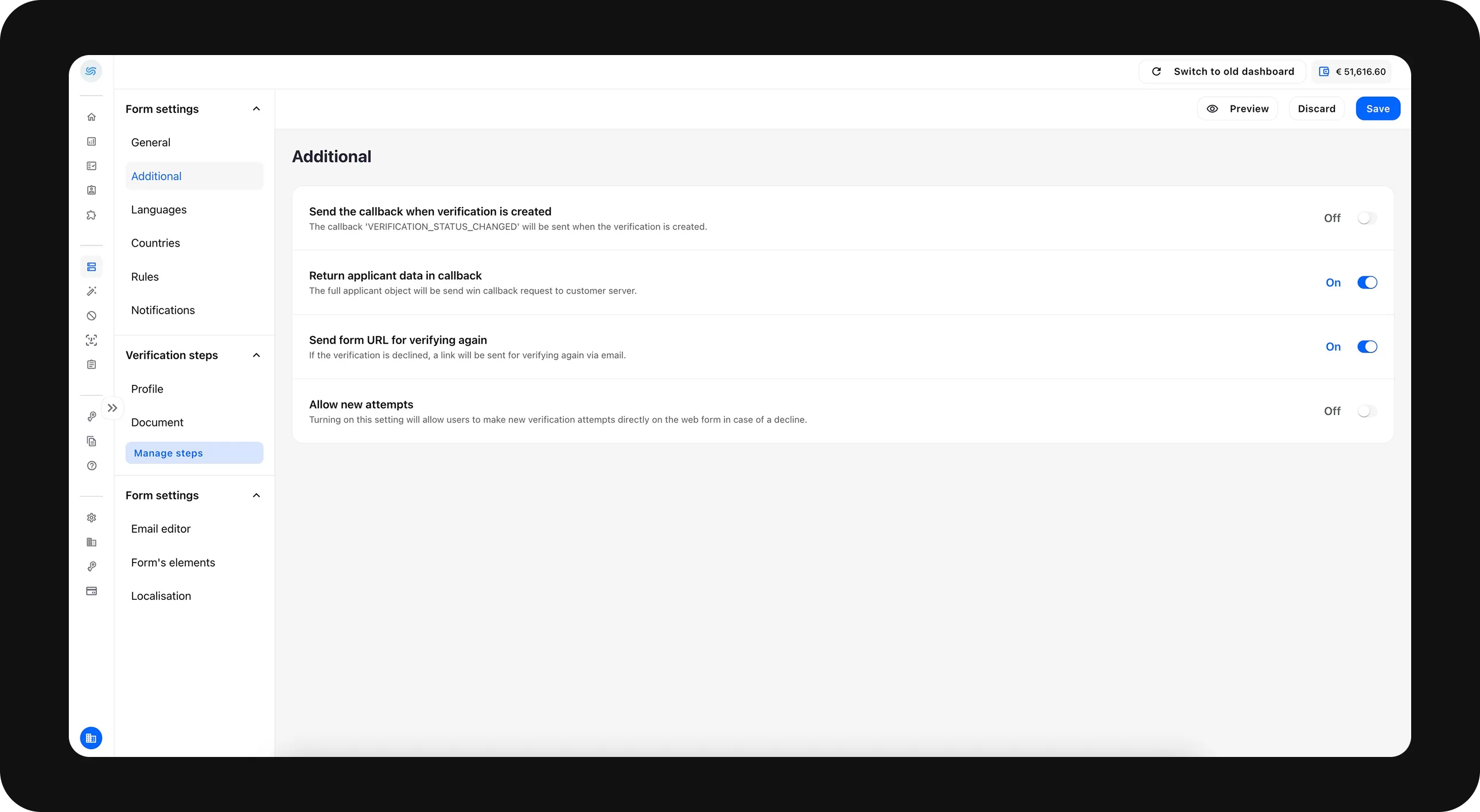
Additional
Keep the switch On to send a callback when a verification is created.
To include the applicant’s data in the callback, keep the second switch On.
If you want to email a re-verification link to the applicant, keep the switch On. To collect the email address, go to Verification steps → Profile → Email and enable both the input field and mandatory fields.
To allow new verification attempts immediately after completion, keep the last switch On.