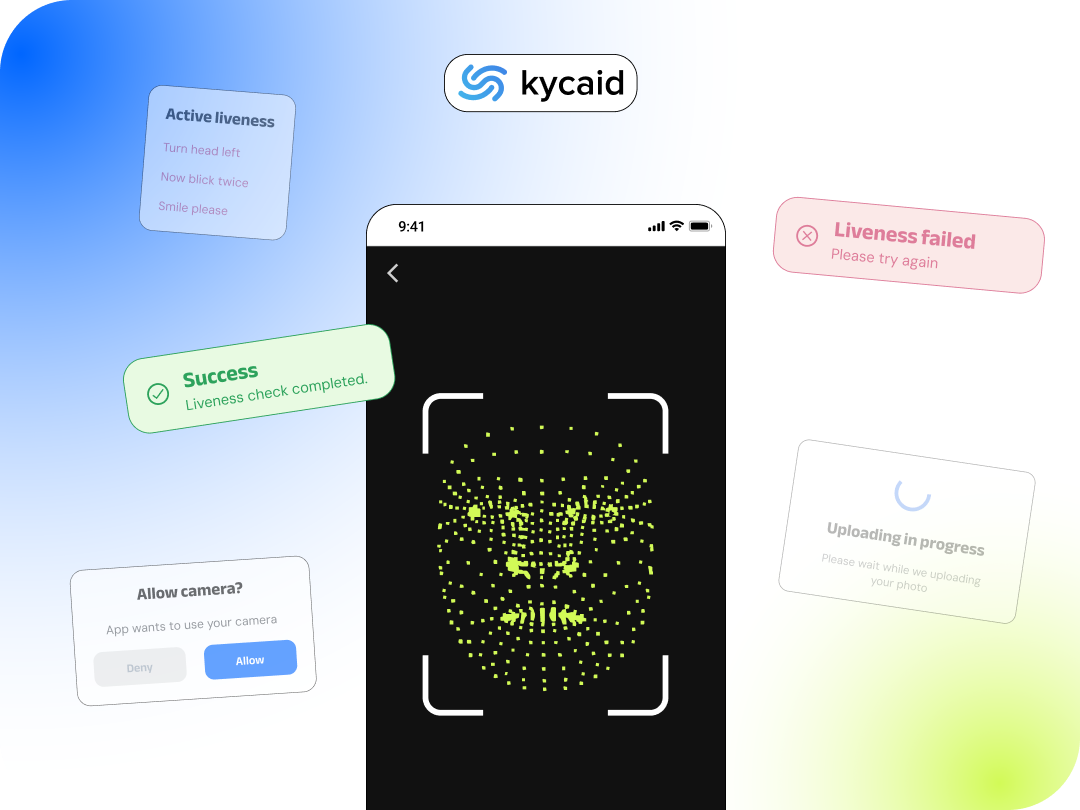
In the high-stakes environments of Fintech, Crypto, and iGaming, the relationship between the Marketing and Compliance departments is often hostile. Marketing spends millions of dollars acquiring users, optimizing every pixel of the top-of-funnel experience. Then, the user hits the Know Your Customer (KYC) verification wall, experiences massive UX friction, and simply closes the app.
A 30% to 40% user drop-off rate during onboarding is common when platforms use legacy identity tools. This is a catastrophic financial leak. If your Customer Acquisition Cost (CAC) is $100, and 30% of users abandon the KYC flow, you are burning thousands of dollars daily.
To scale efficiently in 2026, Chief Product Officers (CPOs) must treat identity verification not just as a regulatory checkbox, but as a core Conversion Rate Optimization (CRO) challenge. Here are the technical architecture and UX best practices to engineer a frictionless KYC pipeline.
The True Cost of KYC Friction (The CAC Black Hole)
Users rarely abandon verification because they are fraudsters; they abandon it because the software is cognitively exhausting. The primary UX killers in verification are:
- ① Unexpected Friction: Asking for camera permissions without explaining why.
- ② Device Limitations: Forcing users to take photos of small ID text using blurry laptop webcams.
- ③ Active Gymnastics: Forcing the user to decipher complex liveness instructions (e.g., "Turn your head left, now blink twice").
UX Rule 1: Contextual Priming & White-Labeling
Do not trigger a native OS camera permission prompt the second a user clicks "Register." This abrupt demand for biometric data causes immediate psychological friction.
Implement Contextual Priming via a native, White-Label UI. Before initiating the camera API, present a clean screen that matches your exact brand colors and typography.
- The "Why": Briefly explain that ID verification secures their account (building trust).
- The "What": Tell them exactly what they need ("Please grab your physical ID").
- The "How Long": Set a micro-expectation ("This automated check takes less than 5 seconds").
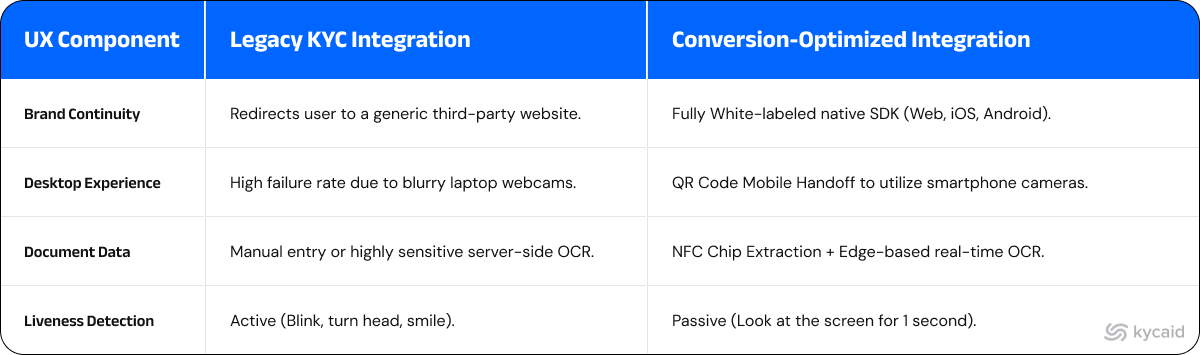
Never redirect the user to a third-party domain (e.g., verify.vendor.com). Domain hopping triggers phishing anxieties and spikes abandonment rates. The SDK must be natively embedded.
UX Rule 2: Cross-Device Handoff (The Desktop Saver)
If your platform has a web application, you will lose users who try to scan a glossy driver's license using a low-resolution laptop webcam. The Optical Character Recognition (OCR) engine will fail, repeatedly asking the user to "try again" until they quit.
Modern UX requires a Seamless Mobile Handoff.
If the SDK detects that it can advance automatically when the user is on a desktop, it should generate a secure QR code. The user scans the QR with their smartphone, opening the camera securely on their mobile device (which possesses a vastly superior lens). They snap the ID, pass the liveness check, and the desktop session automatically advances in real-time.
UX Rule 3: NFC Scanning & Passive Liveness
Typing in data manually is a conversion killer. While Edge-based OCR is excellent, reading the embedded chip inside a modern passport or ID card via NFC (Near Field Communication) is mathematically flawless. Asking the user to simply "tap their ID against the back of their phone" extracts 100% accurate data in under two seconds.
For biometrics, legacy systems rely on "Active Liveness" (forcing users to smile or move). This is awkward in public and fails frequently. Your compliance architecture must utilize iBeta Level 2 Certified Passive Liveness. The AI analyzes micro-expressions and skin texture from a single, static frame. The user simply looks at the camera for one second. Zero cognitive effort.
Legacy KYC UI vs. Conversion-Optimized UX
The KYCAID Solution: Conversion-First Identity SDKs
At KYCAID, we understand that your compliance engine must protect your operating license and your marketing budget. We built our API and SDKs specifically to eliminate the bottlenecks that destroy CAC.
Our highly customizable Web, iOS, and Android SDKs keep the user entirely within your brand's ecosystem. KYCAID natively supports seamless QR-code desktop-to-mobile handoffs, flawless edge-based auto-capture, and NFC document scanning. We pair this with iBeta L2 certified passive liveness that verifies the user instantly without awkward instructions.
The result? A frictionless identity flow completed in under 3 seconds, returning a definitive JSON payload to your backend.
Stop letting bad UX destroy your user acquisition.
FAQ
Why do users abandon the KYC verification process?
Users typically drop off due to poor UX. Common reasons include jarring redirects to third-party domains, frustrating "active liveness" tasks (being forced to turn their head or blink), and technical friction like a laptop webcam failing to focus on a glossy ID card.
What is a Desktop-to-Mobile KYC handoff?
A desktop-to-mobile handoff allows users starting their registration on a computer to seamlessly transfer the camera-heavy steps (ID scanning and selfie) to their smartphone via a secure QR code. This utilizes the phone's superior camera, drastically reducing OCR failures and drop-offs.
What is the difference between Active and Passive Liveness?
Active liveness requires the user to perform specific actions (like smiling or moving their head) to prove they are a real, live human, which causes high drop-off rates. Passive liveness uses advanced AI to analyze a single, static-like image in milliseconds without requiring any effort, vastly improving user conversion.