
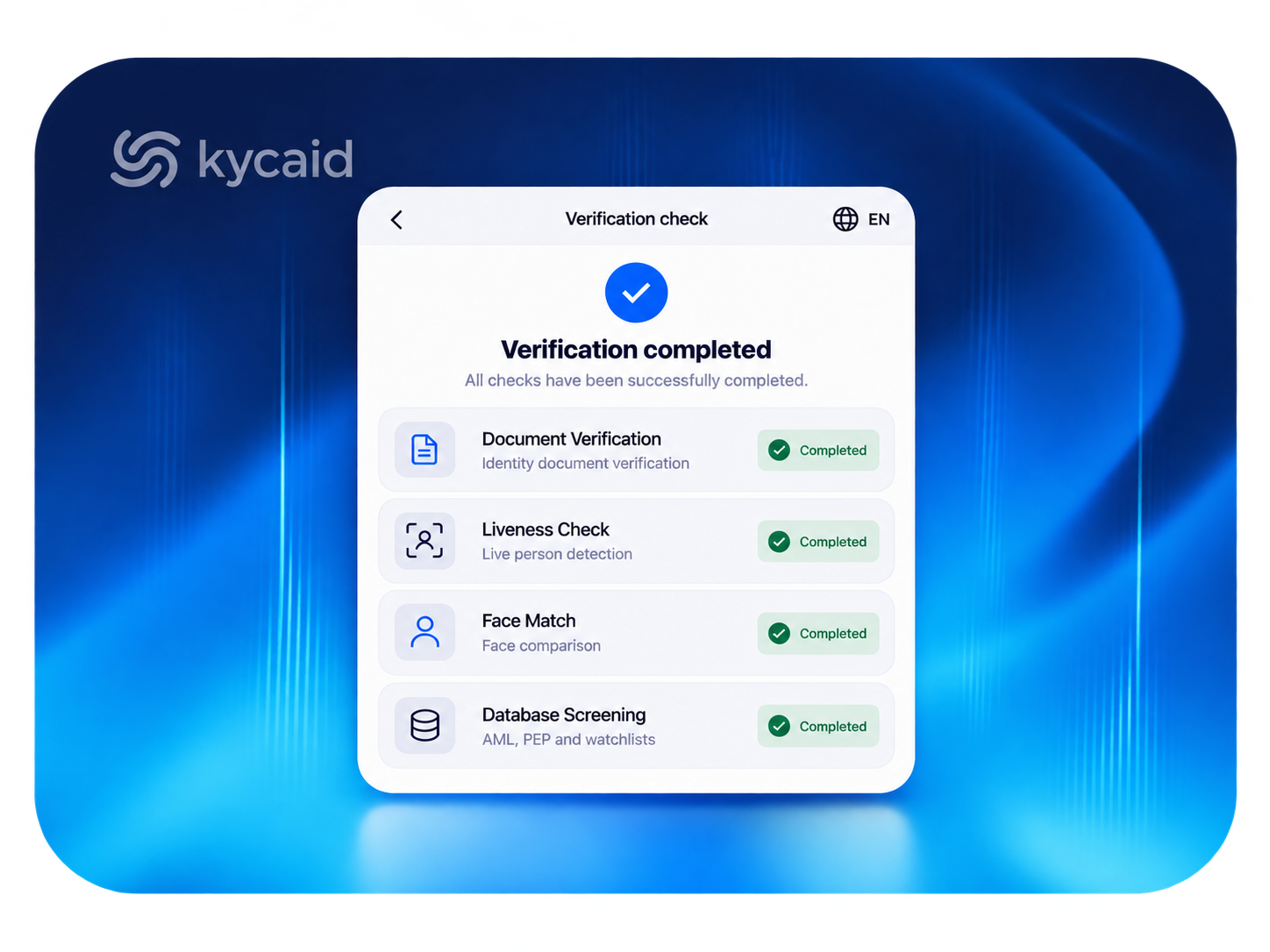
A KYC workflow is the sequence of checks a new customer passes between clicking "sign up" and getting an approved account: data collection, document verification, biometric confirmation, database screening, risk scoring, and a decision. Most workflows complete automatically in under a minute. The ones that do not are usually badly ordered, not badly built.
This is a walkthrough of what each step does, in the order that keeps both your regulator and your conversion rate happy.
Step 1: Collect the minimum, not the maximum
The workflow starts before any document upload. You collect name, date of birth, address, and contact details. The design mistake here is asking for everything upfront. Every extra field costs signups, and industry drop-off data is blunt about it: long first forms lose users who would have passed verification.
The better pattern is progressive: collect what the first check needs, and ask for more only when a check requires it. Platforms using configurable onboarding flows typically branch by country and risk level, so a low-risk applicant in a supported market sees a shorter path than an edge case.
Step 2: Verify the identity document
The applicant photographs a passport, ID card, or driver's license. Automated systems then do four things: extract the data (OCR, including the MRZ line on passports), check the document's security features and format against a template library, confirm it has not expired, and compare the extracted data with what the applicant typed.
Coverage is the quiet differentiator here. A document verification API that recognizes 14,000+ document types across 240+ countries approves the Nigerian voter card and the Kazakh ID that a US-only vendor would bounce to manual review.
Step 3: Confirm a live human matches the document
Document checks prove the document. They do not prove the person holding the phone is its owner. That is the job of a liveness check: the applicant takes a short selfie sequence, the system confirms it is a live person rather than a photo, screen replay, mask, or deepfake, and then matches the face to the document photo.
Passive liveness (no user actions required) keeps friction near zero and is the right default. Active liveness (turn your head, follow the dot) adds security for high-risk flows. Choose per risk tier, not globally.
Step 4: Screen against databases
With identity confirmed, the workflow screens the applicant against sanctions lists, PEP registries, watchlists, and adverse media. This step also includes checking for duplicate accounts, which matters more than teams expect: multi-accounting is how bonus abuse, smurfing networks, and repeat fraudsters come back after a ban.
Step 5: Score, decide, and route the exceptions
Every check feeds a decision. Clean results auto-approve. Hard failures (expired document, sanctions hit) auto-reject with a documented reason. Everything in between routes to manual review. A healthy automated workflow sends only a small minority of cases to humans; if your review queue holds a third of applicants, your rules are miscalibrated, not your reviewers slow.
Two things make the decision step audit-proof: recorded reasons for every outcome, and a complete evidence trail (document images, liveness recordings, screening results, timestamps) retained per your jurisdiction's rules, typically five years.
Step 6: Keep verifying after approval
KYC is an event; compliance is a subscription. Approved customers get re-screened as sanctions lists update, documents expire and trigger re-verification, and transaction behavior feeds back into risk scores. Workflows that end at approval are the ones that show up in enforcement actions three years later.
Where workflows go wrong
Three patterns account for most failures. Checks in the wrong order: screening before identity confirmation wastes screening spend on fake identities. One flow for every market: what works for Germany fails in Brazil, where a CPF database check outperforms document upload. And no fallback: when automation is unsure, the workflow should degrade to human review, not to rejection.
FAQ
🔹How long should a KYC workflow take? For a clean applicant with automated checks, under a minute end to end. KYCAID's average verification time is 11 seconds. Manual review cases take longer, which is why keeping them rare matters.
🔹What is the difference between a KYC workflow and a KYC process? Nothing formal. "Workflow" usually emphasizes the automated sequence and its branching logic; "process" often includes the surrounding policy, staffing, and record-keeping.
🔹Which steps can be fully automated? Document verification, liveness, face match, database screening, and duplicate detection all run automatically. Human judgment stays for genuine edge cases and for reviewing what automation flags.
🔹Do all customers need to go through every step? No. Risk-based workflows are both permitted and expected by regulators. Low-risk customers get the light path; high-risk customers get enhanced checks such as source of funds.